usability fails are everywhere and it’s sad.
In: Uncategorized
2 May 2009This is a very long post. The first half deals with my lifelong experience with TTY usability, and the second half deals with accessibility and usability.

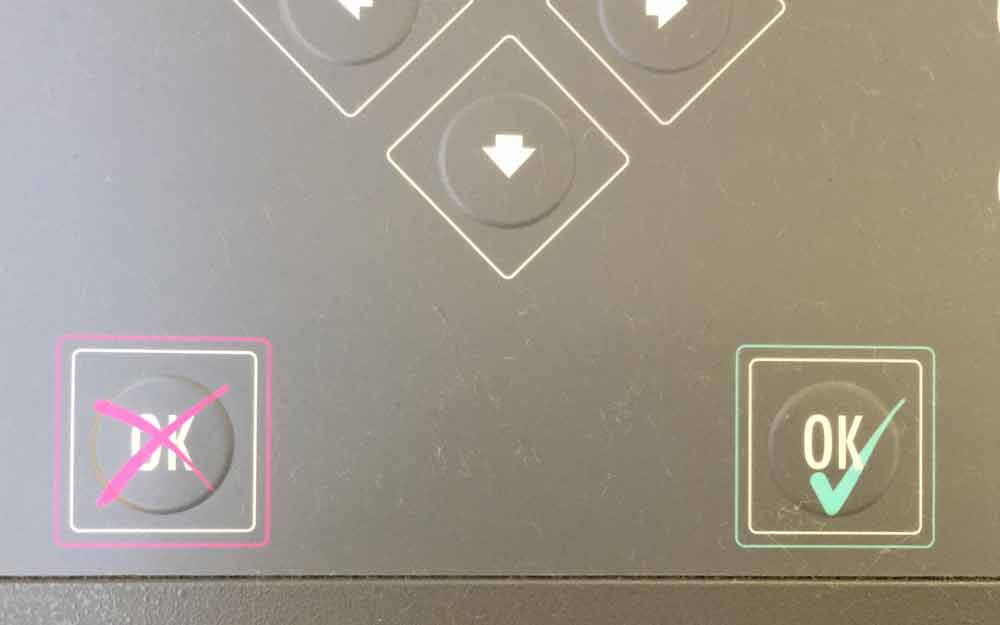
I’m deaf and have a cochlear implant. I communicate extremely well face-to-face, but it’s extremely hard for me to understand most people on the phone, so since I was a little kid, I’ve had to use a TTY to make any phone calls. The picture above is of a TTY that I found in the Detroit Airport’s McNamara terminal. It basically works kind of like a very lo-fidelity modem – you align a phone handset on top of it, and as you type away the keys all make different sounds that get transmitted over the phone line. I’d estimate the upper limit at somewhere around 40 words a minute. Some places would have their own dedicated TTY lines, but to call most places, I had to call the Michigan Relay line (I still have the phone memorized, and it’s probably been a decade since I last used it), where an hearing operator with a TTY would say what I typed to the other person, and type back what they said to me. It’s an incredibly cumbersome way to communicate, but sometimes it’s been the only way that I can, first via this little dinging box, and then a few years back, this site called http://www.ip-relay.com showed up, which let you make TTY calls over the web.
My entire life, I’ve struggled to get AWAY from using TTYs because they’re so incredibly unusable. They’ve got a very slow rate of data transmission, even slower if the person you’re talking to isn’t a very fast typist, and you can’t both speak at the same time, so you have to use the code “GA” to indicate when its’ the other person’s turn to talk. Not only that, but very few other people are familiar with TTYs, let alone relay networks, so seriously half the time I have to call an utility company about a bill, I get hung up on because they think I’m a telemarketer. (I dunno, it doesn’t make sense to me either.) I can’t even call my bank this way, as my bank has a policy against accepting relay calls, because apparently the privacy restrictions imposed on the relay operators make it a pretty appealing cover for scammers. When I was trying to arrange for a visa to travel to Russia, I had to spend hours on the phone with this absolute nightmare of an agency whose employees were convinced that I was only calling them via TTY to make life difficult for them (again, baffling).
Not only that, but every phone call takes me twice as long to make as it would for a hearing person, because I have to connect to the relay operator, type to them who I want to call, and then have them very cumbersomely type out all the phone tree options (and then call back again and go through the whole thing again when the session timed out because it takes so long to type out everything). ip-relay’s interface doesn’t work like an IM interface, but more like a synchronous free text chat, which means there’s no beep or flashing to let you know when the operator’s typed something at you. The upshot of this is that when you’re on hold, you have to sit and STARE at the screen while the operator types “still holding … still holding …” every 15 seconds or so to let you know they’re still on the line. If you think being on hold is boring as a hearing person, imagine that you had NO WAY to be able to multitask. Truly, whenever I have to call a government office I want to stick a fork through my eyeballs. I’ve been on hold over an hour many times, just staring at the screen, waiting for someone to answer. And I get ‘accidentally’ hung up on a LOT because if it’s 4:30, the tech support person on the other end would much rather end their shift on time instead of dealing with a TTY customer, who are incredibly cumbersome to support. Don’t really blame them, but I still hate it.
In addition to the user experience problems, the ip-relay interface is painful! I love the service that ip-relay provides, but let’s take a look:

Besides the lack of notification mentioned, my biggest problem with the interface is that because it’s a Java applet, when I come back to it from another window, program or tab, I have to put the focus BACK into the applet to be able to type into it. This means that if I see a message I want to respond to, if I hit backspace, I accidentally go back to my last page, and of course, going forward again doesn’t help – I’ve lost that session. I can’t count the number of times I’ve accidentally ‘hung up’ on people that way. It’s doubly frustrating if I waited on hold for an hour and have to start the whole thing over. The interface has changed a little since I last used it, and maybe that “print” button works now, but last time I tried to save a transcript of a conversation, it didn’t work, and because I was reporting that Russian passport agency to the Better Business Bureau, I had to painstakingly scroll up and save a screenshot of each and every page…about 20 pages worth of pain. And of course, because it’s a heavy Java applet, every now and again my browser will throw a fit and crash.
Anyway, I have tons of stories about how a TTY protocol is painfully unusable, whether it be by old-fashioned machine or by relay website. So I’ve struggled to not use the phone, ever, because this mode of communication is just full of usability FAIL every which way I turn. And I’m lucky that it’s 2009 and there are so many millions of ways to communicate that I literally only have to use a TTY about twice a year. I use email, IM, SMS and Twitter, and these all more than fill in the gap for me.
Which means that if a company does force me to use a phone to interact with them, I get really, really cranky, because nobody likes to use a phone (see this spot-on post from 37 Signals, “why would you want to call me?“), least of all me. Example: this semester, I’d done a lot of traveling and as a grad student, needed to get a lot of work done in airports, so I signed up for a Boingo account. The signup was quick and easy – give ‘em a credit card, download a little program and boom! I have wireless access in any airport, Starbucks or McDonald’s for $9.95 a month! Not a bad deal, eh? After I got the brunt of my traveling done this year, I decided to cancel my Boingo account and just reactivate it next time I needed to fly.
Except that you couldn’t cancel online. You couldn’t cancel via email either. Verily, the only way to cancel was to call them (and, I assume, go through a rigamarole about why you weren’t happy with the service). As a hearing person, I wouldn’t want to take time to call and cancel when I can just click a button on any other website, and as a deaf person I get unduly cranky at the prospect of having to do so. This was deliberate, of course, and in my head I can almost see stakeholders in suits sitting around a mahogany table talking about ROIs and profits and deciding that they would make it hard for people to cancel in order to rake in profits from everyone who decided the exit barrier was too high a hurdle to jump. This made me incredibly cranky, of course, so I emailed them and explained not only my situation, but also that providing a high exit barrier makes people reluctant to dip in and out of their services as needed, and also creates unhappy customers that will tell everyone they know that Boingo is a difficult company to work with.
And then I followed this up with a tweet, because well, it’s 2009 and now we can complain with megaphones. And I wasn’t 100% surprised to get a response back from a Boingo rep on Twitter, who was very friendly and overly eager to smooth things over and I could tell his job was kind of to put out Twitter fires over things he wasn’t really in charge of, and I felt a little bad for him. And he was very nice and within an hour he’d gotten my account canceled for me and everything straightened out. So, I was still a little cranky, but very pleased by how quickly they responded on Twitter. (I had the same experience with the Omnigraffle team, and with the Peabody Hotel folks, so A++ to companies that invest in Twitter resources!) Funny thing is, the next day, a Twitter friend of mine, completely independently of my tweets, made the exact same complaint, and the poor Twitter rep was over there putting out fires again, except this time he told my friend that an online cancellation feature was the next thing that was getting released.
So yeah, I appreciate that they’re putting out fires, but this does make me think of one basic principle of disability accessibility: making something accessible for one person makes it accessible for everyone. Look at closed-captioning – it didn’t used to be ubiquitous. Only through legislating that most TVs released after 1993 have closed-captioning decoder chips did it become ubiquitous. And man, everyone uses them. Captioning is used in bars when TVs are on mute, captioning is used by our elderly parents, captioning gets turned on in movies with incomprehensible actors. Deaf people aren’t the only ones to benefit. And the same thing’s going on with Boingo – by making it easier for deaf people to do business with you, you make it easier for everyone to do business with you.
My name is Leanna Gingras and I'm a graduate student at the University of Michigan's School of Information. My main vice is angry muttering. Instead of angrily muttering to myself whenever I encounter an astonishingly ineptly-designed object, I will mutter about it here and you can read it and we can angrily mutter together. I'll also be posting about stuff I do, links I think are nifty, and places I go.
5 Responses to making communication more usable
Michael Lockrey
May 23rd, 2009 at 1:21 pm
Great post and I have a very similar background with TTY’s here in Australia. J
ust one query though – have you used CapTel? When I visited the USA last year, the ability to make CapTel calls was a phenomenal experience for a long time TTY user.
Making communication more usable: Very g… « Squawk
May 25th, 2009 at 4:31 pm
[...] communication more usable: Very good read about accessibility, usability, TTYs, deafness from http://usabilityfail.com/?p=200 [...]
Lee
May 25th, 2009 at 11:21 pm
I haven’t used CapTel specifically, but it looks like just another way of saying “relay service”. I used Michigan Relay Service for years until I migrated online…very handy! Surprised you don’t have anything like that in Australia.
Steve Grobschmidt
May 26th, 2009 at 3:17 am
This certainly is an eye-opening read. Reading about simply what TTYs are — what they are, what they do — is one thing. Hearing actual experiences….and frustrations….with them is much more telling.
And amen to “making something accessible for one person makes it accessible for everyone”. Accessibility isn’t just some niche thing — it’s about everybody.
Richard Morton - Accessible Web Design
May 28th, 2009 at 10:55 am
Thanks for sharing that. It gives a good perspective on the sort of problems that even “accessible technologies” don’t seem to solve. Given how much technology has moved on in recent years, particularly in mobile phones, there are plenty of opportunities for things to be much improved.